← All work

Project 01 · iOS

ShoePack app icon

ShoePack

Log and keep track of the miles on every pair of running shoes, so you know when it’s time for new ones. ShoePack keeps count for you. The best version of it is the one you never have to open.

Role
Design, development, testing
Platform
iOS · Siri · Core ML
Timeline
[Month Year] to present
Status
On the App Store ↗
View on the App Store ↗
Home screen: main pair with 168 miles left and good traction Expanded shoe card with weekly average, estimated retirement and total usage Shoe Traction Analysis introduction screen

01The problem

Nobody counts shoe miles.

Running shoes lose their cushioning after a few hundred miles, and most runners find out through sore knees rather than a number. Keeping count by hand is one more chore after every run, so almost nobody does it.

My running coach told me to keep track of the miles on my running shoes and change them out at around 300 miles to prevent injury. I had no way of tracking them. So I built an app for that.

02The insight

Apple Health already knows. Ask one question.

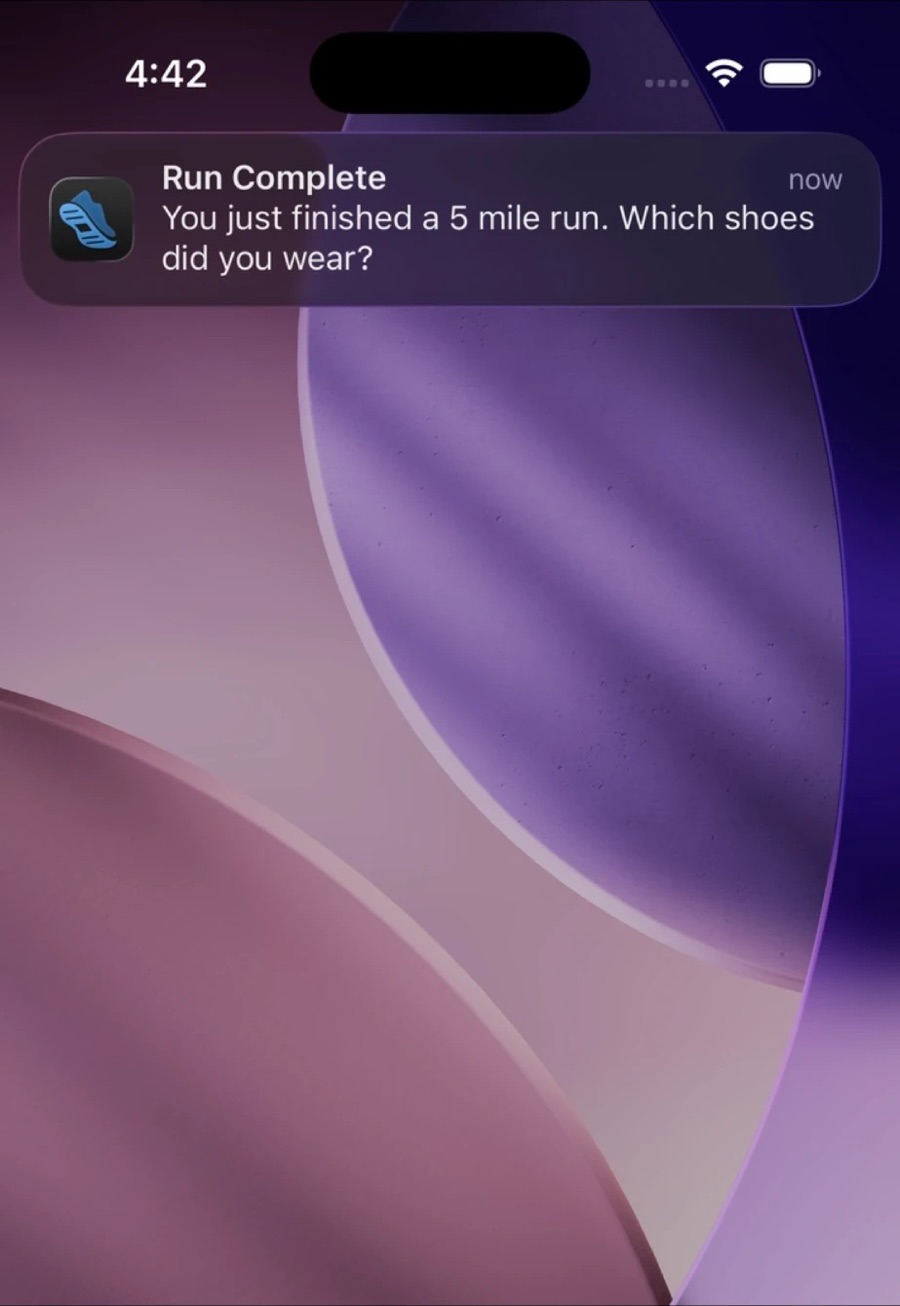
Your iPhone or Apple Watch already records every run. So ShoePack doesn’t need you to log anything. It needs to ask one question at the right moment: which shoes? Finish a run, get a notification, tap once. Done.

Notification: Run Complete. You just finished a 5 mile run. Which shoes did you wear?
Fig. 1The run ends; ShoePack asks one question.
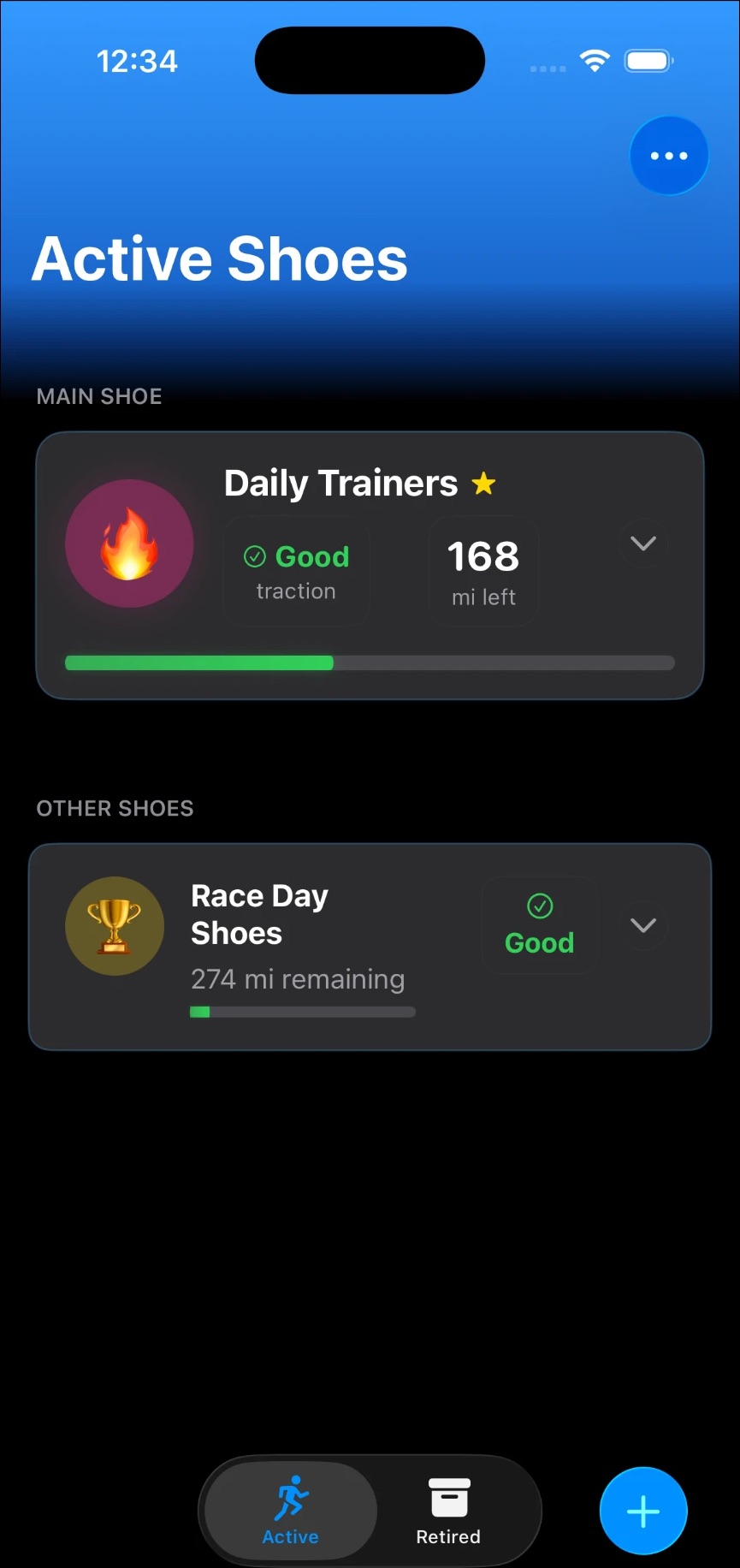
Home screen: Daily Trainers as the main shoe with 168 miles left; Race Day Shoes below
Fig. 2Your main pair up top, the rest below.
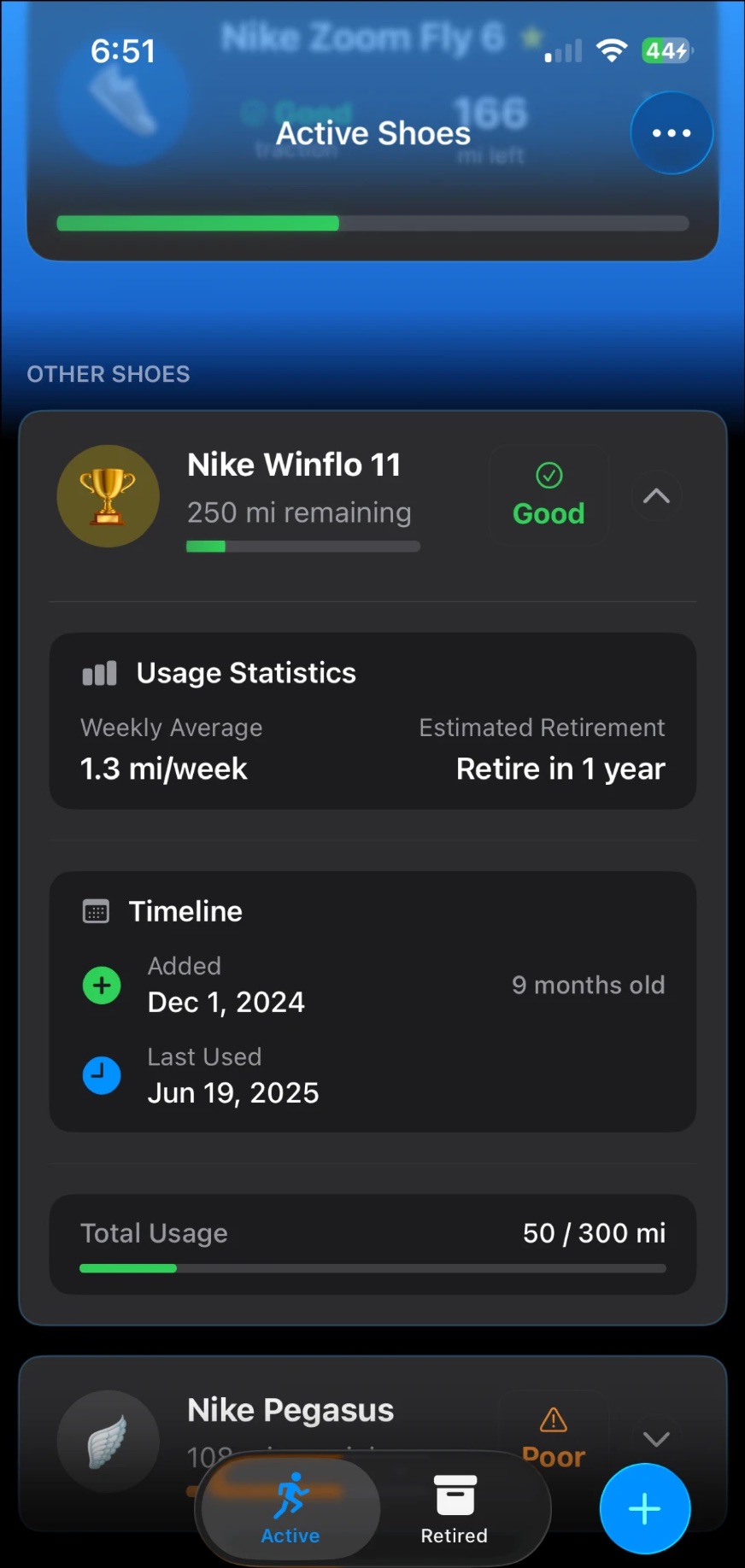
Expanded card for Nike Winflo 11: 1.3 miles a week, retire in 1 year, 50 of 300 miles used
Fig. 3Tap a pair to see its pace of wear and when it’ll retire.

03Traction check

Miles aren’t the whole story.

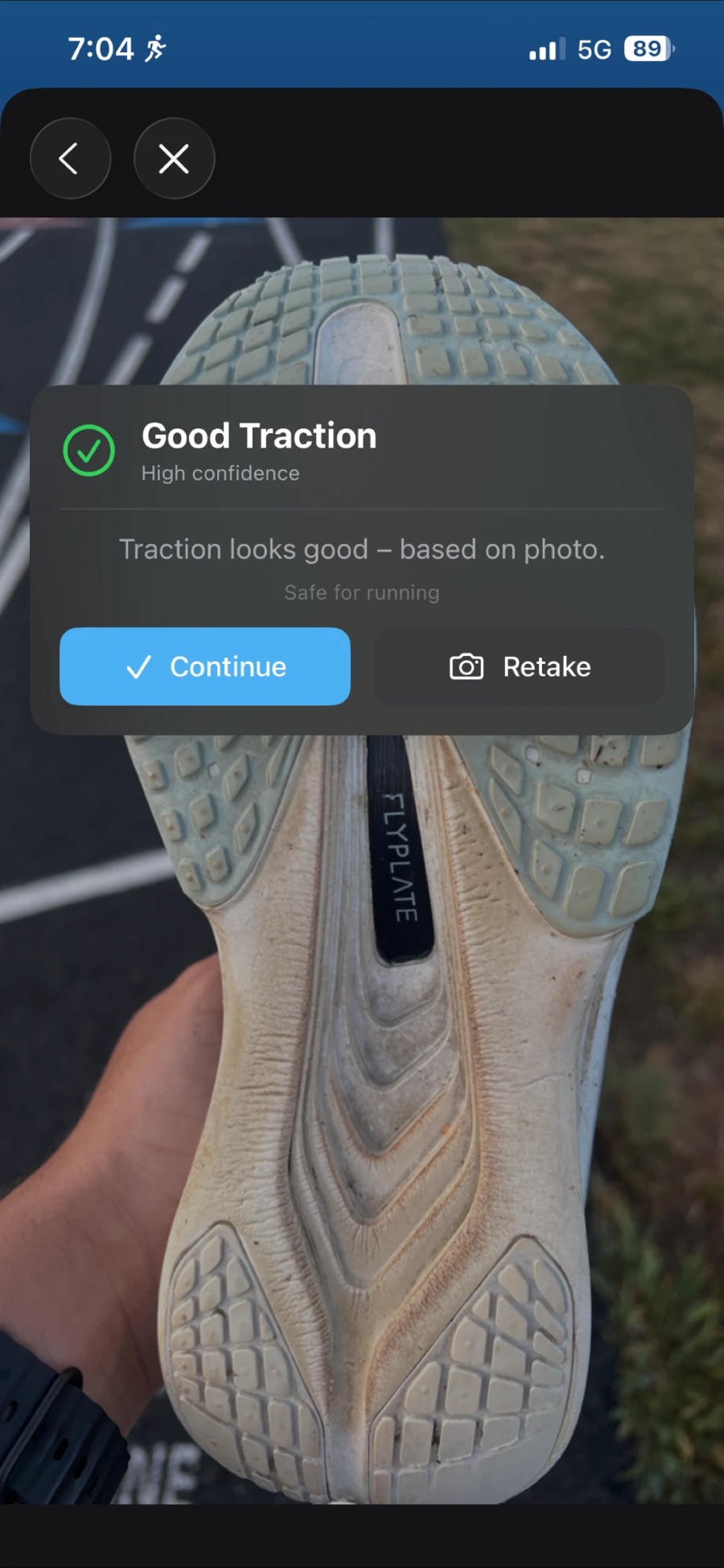
Two pairs with the same mileage can wear very differently. So ShoePack can also look at the shoe: photograph the sole, and a custom Core ML model I trained rates the grip as good, decent or poor, right on the phone.

The result is careful about what it knows. It shows how confident the model is and says the verdict is “based on photo”, rather than pretending to be a lab test.

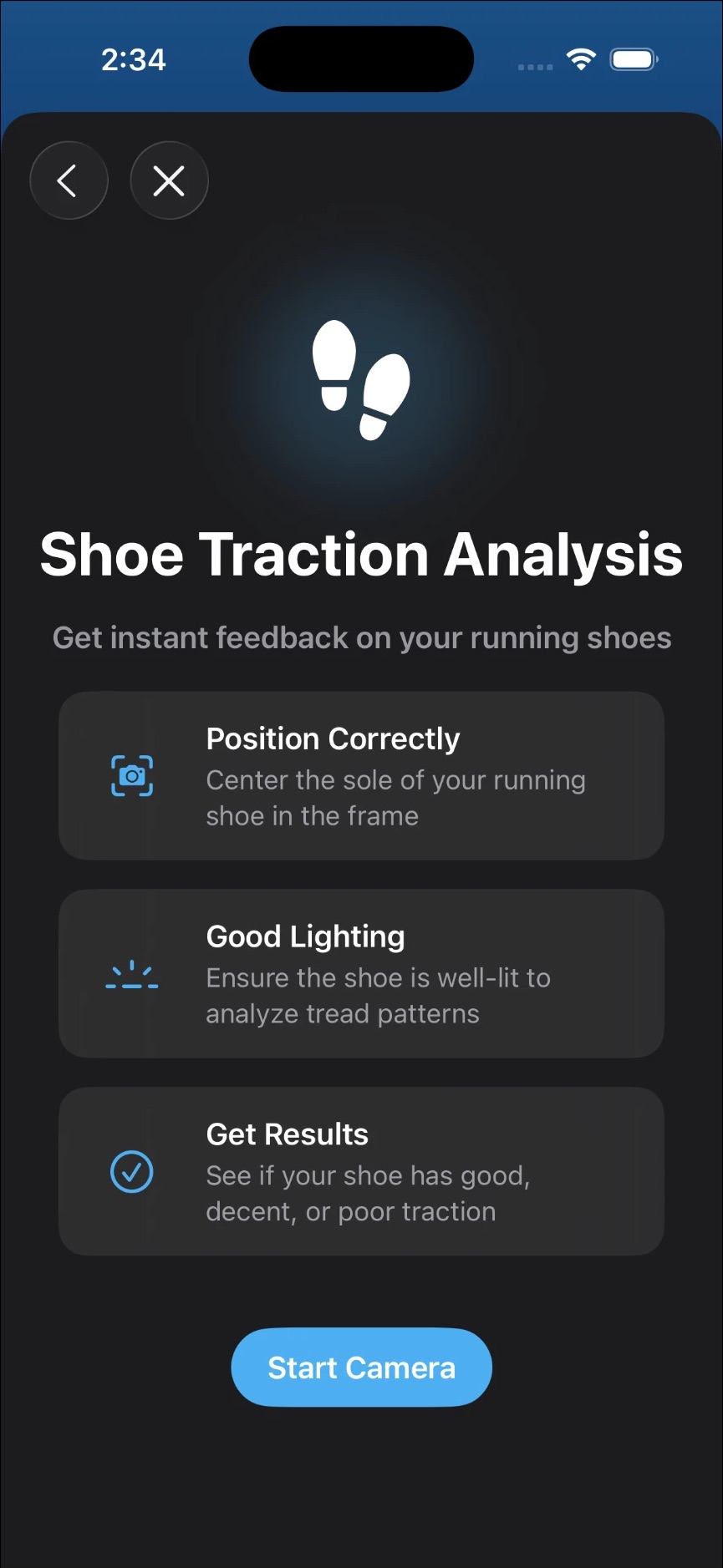
Shoe Traction Analysis: position correctly, good lighting, get results, Start Camera
Fig. 4Three steps before the camera opens.
Result over a photo of a worn sole: Good Traction, high confidence, safe for running
Fig. 5A real sole, a real verdict, with its confidence shown.

04Decisions

What I chose, and what I let go.

Most of ShoePack’s design happened by removing things. These four decisions shaped it most.

Decision 01

The gauge fills up, like a download.

A new pair starts empty and fills as the miles add up, with “miles remaining” written beside it. I tried the opposite, a fuel gauge that drains, and it read backwards next to a growing mileage number.

Chose
Fill as miles accumulate
Over
Drain like a fuel gauge

Decision 02

I cut the Live Activity.

It looked great on my desk. Then I tested it on real runs: Workout Focus hid it, so the people it was built for would never see it. A notification plus a banner on the home screen does the job.

Chose
Notification + home-screen banner
Over
Lock Screen Live Activity

Decision 03

Unfinished runs appear only when they exist.

Runs you haven’t assigned yet used to sit in Settings as a row that read “0” almost all the time. Now a banner shows up at the top of the home screen only when something is waiting.

Chose
Conditional banner
Over
Permanent Settings row

Decision 04

Siri understands how runners talk.

Nobody says “Nike Alphafly 3.” They say “my Alpha Flys.” ShoePack matches names forgivingly, and answers with a card showing the new total. Siri’s default was a silent checkmark that left people guessing.

Chose
Forgiving names + confirmation card
Over
Exact names, silent success

05Craft

The details nobody asks for.

  • Settings, rebuilt the native way. A standard inset-grouped list that follows the system’s light or dark mode. No custom toggle, per the Human Interface Guidelines.
  • VoiceOver reads each shoe as one sentence, not a scatter of labels and numbers.
  • Dynamic Type everywhere, including removing size caps that were quietly limiting it.
  • Reduce Motion is respected, down to the animated background.
  • Adjusting mileage takes a tap: chips for 5K, 10K, half and marathon, with a live preview of the new total.

06Outcome

Shipped, and still learning.

ShoePack is my first app on the App Store. I tested it the only way that counts: on real morning runs.

[Add what you can share: downloads, ratings, a favorite review, what you’d do differently. Next up: Apple Watch?]

The best version of ShoePack is the one you never open.