← All work

Project 03 · visionOS · Create ML

AirTag, made visible.

Find My helps you find an AirTag by sound. On Apple Vision Pro, you can add something sound can’t give you: a place to look. This demo explores how visuals can lead you straight to it.

Role
Concept, prototyping
Platform
visionOS · SoundAnalysis · Create ML
Timeline
Dec 2025 to Mar 2026
Status
Demo
FilmRecorded on Apple Vision Pro. 25 seconds, with sound.

01The idea

Sound gets you close. Sight gets you there.

Today, you find a lost AirTag by making it play a sound and following the chime. That works, but in a room full of furniture and echoes, a sound is hard to pin down.

Apple Vision Pro can add what sound is missing. If you can see where the AirTag is, you can walk straight to it.

02How it works

Play a sound, see it, walk to it.

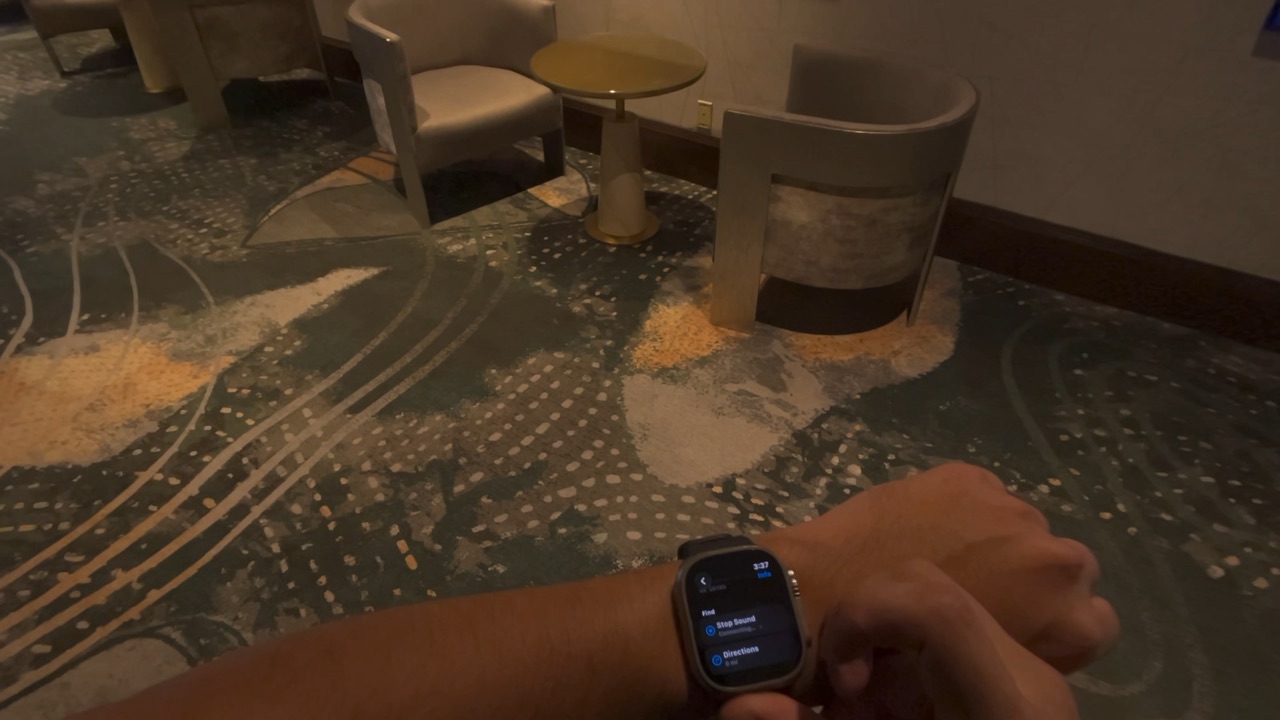
  • Play a sound. Just like today, ask Find My to play a sound from your iPhone or Apple Watch. Vision Pro listens for the chime with a sound model I trained in Create ML. That’s its cue to start.
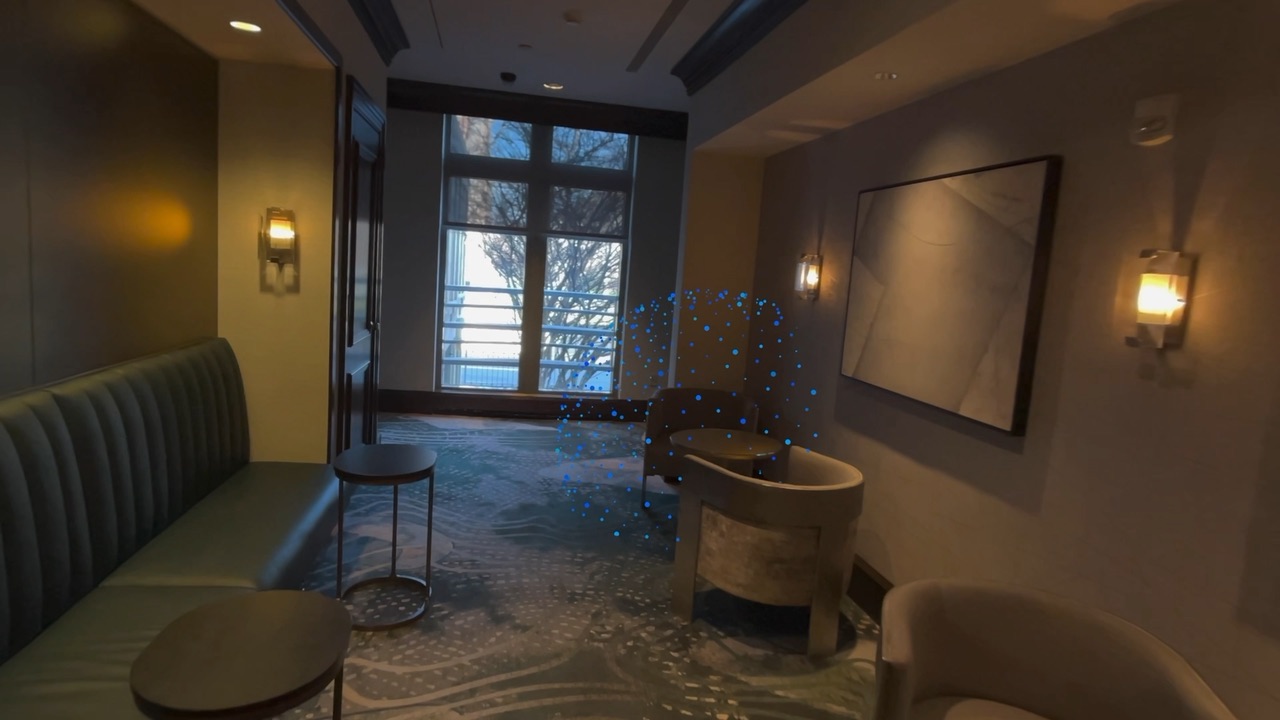
  • See it. A sphere of blue light appears over where the AirTag is. For the film, the sphere’s spot is set ahead of time so the walk-up records reliably.
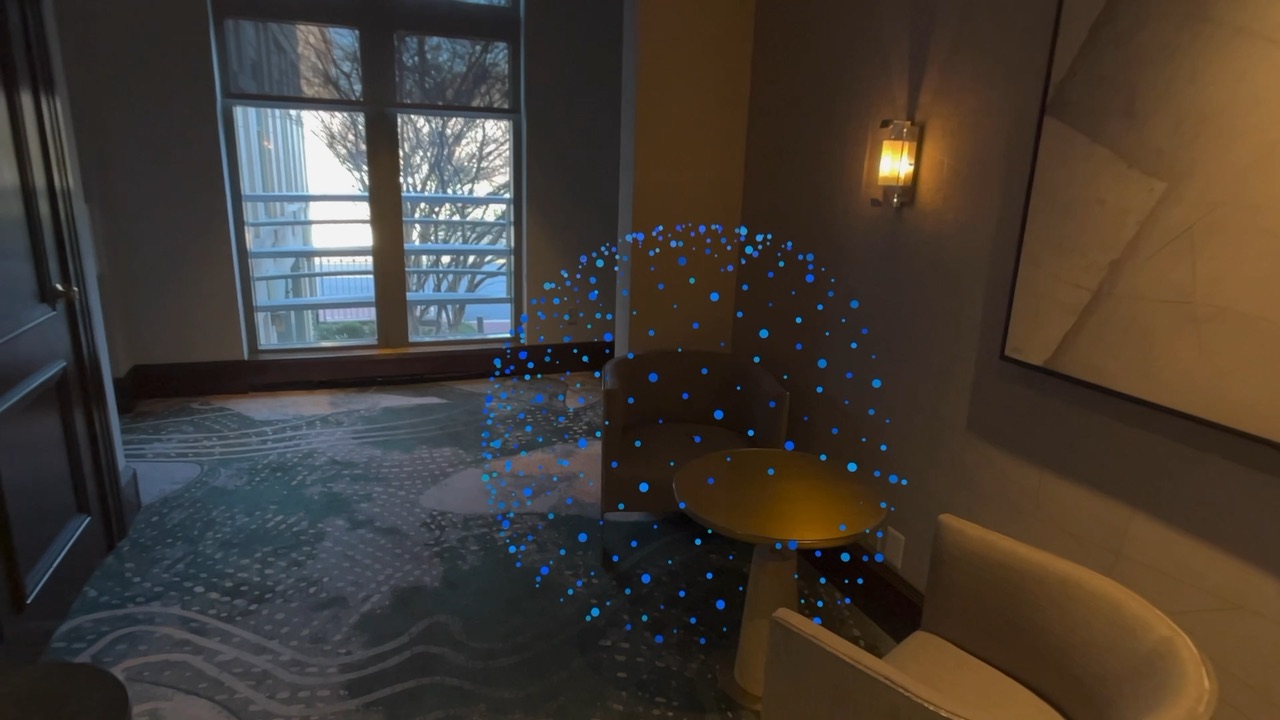
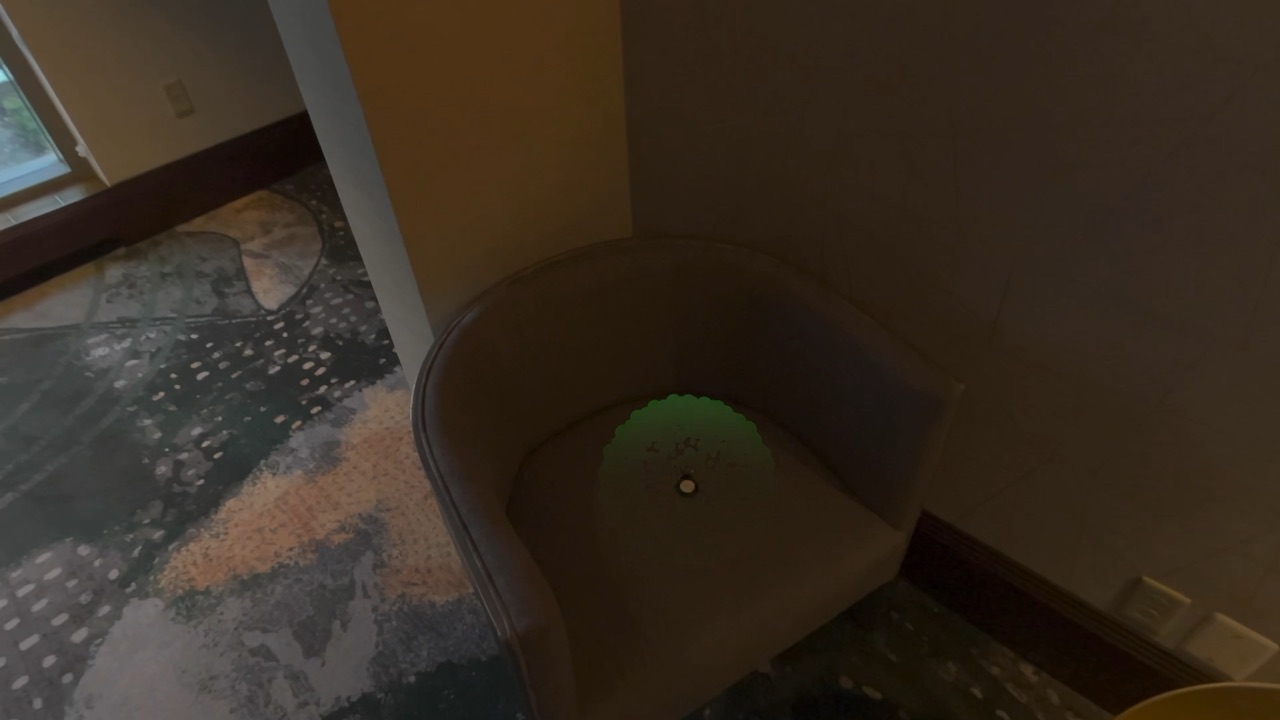
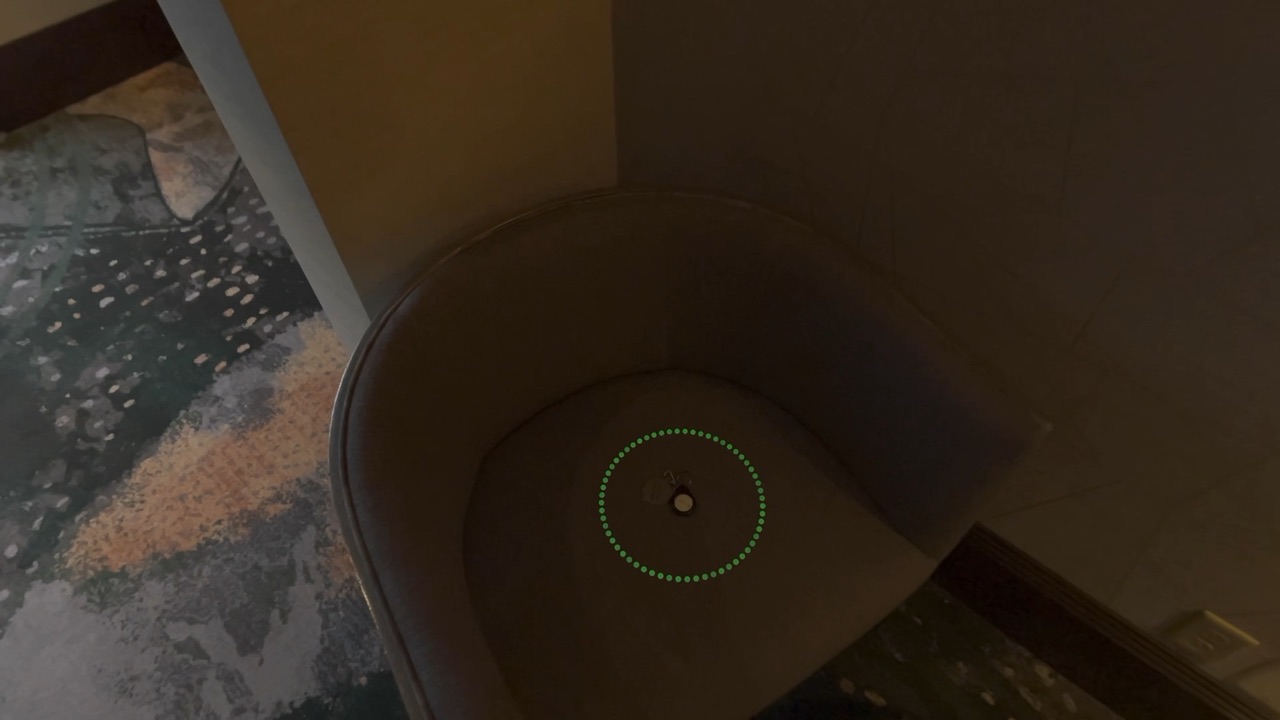
  • Walk. As you get closer, the sphere tightens. When you’re within about three feet it turns green and closes in on the exact spot.
Wrist with Apple Watch showing the option to play a sound
1 · AskPlay a sound from Apple Watch
A faint sphere of blue dots at the end of a hallway
2 · SeeA sphere marks the spot
The blue sphere, larger now, around a chair
3 · ApproachBig means “around here”
The sphere turned green and collapsing onto the chair seat
4 · CloseGreen, and collapsing
A small green ring of dots around the AirTag on the chair
5 · FoundA ring the size of a nickel

03Decisions

Uncertainty you can see.

Sound can tell you roughly where something is, never exactly. The design had to be honest about that, without turning it into numbers.

Decision 01

The size of the sphere is the distance.

From across the room, the sphere is about the size of a beach ball: “it’s somewhere in here.” It tightens smoothly as you walk in, down to a few inches. There’s no distance readout because the shape already says it.

Chose
A sphere that shrinks as you approach
Over
A distance number in feet

Decision 02

Distance along the floor, not from your eyes.

Closeness is measured across the floor, ignoring how high your head is. Crouching to look under a chair shouldn’t make the AirTag seem to move. It should feel the same as Find My on iPhone.

Chose
Horizontal distance
Over
Straight-line distance from your head

Decision 03

“Found” changes color, shape and sound.

Within about three feet the dots turn green and the looping locator sound stops. The sphere collapses, then a small ring bursts out around the AirTag with a single confirmation tone. You know you’ve found it even if you only catch one of the three.

Chose
Green + collapse + one tone
Over
A “Found!” label

04Next

From a demo to a tool.

[What you’d build next, and what you learned building this.]

Find My lets you hear it. Vision Pro lets you see it.